Azabooti
Remote Power ON/OFF Switch for Desktop Computer. Wireless PC Motherboard Boot Button. Gaming Room Decoration
Remote Power ON/OFF Switch for Desktop Computer. Wireless PC Motherboard Boot Button. Gaming Room Decoration
Couldn't load pickup availability
Free shipping on orders over $50 — Easy 30-day returns
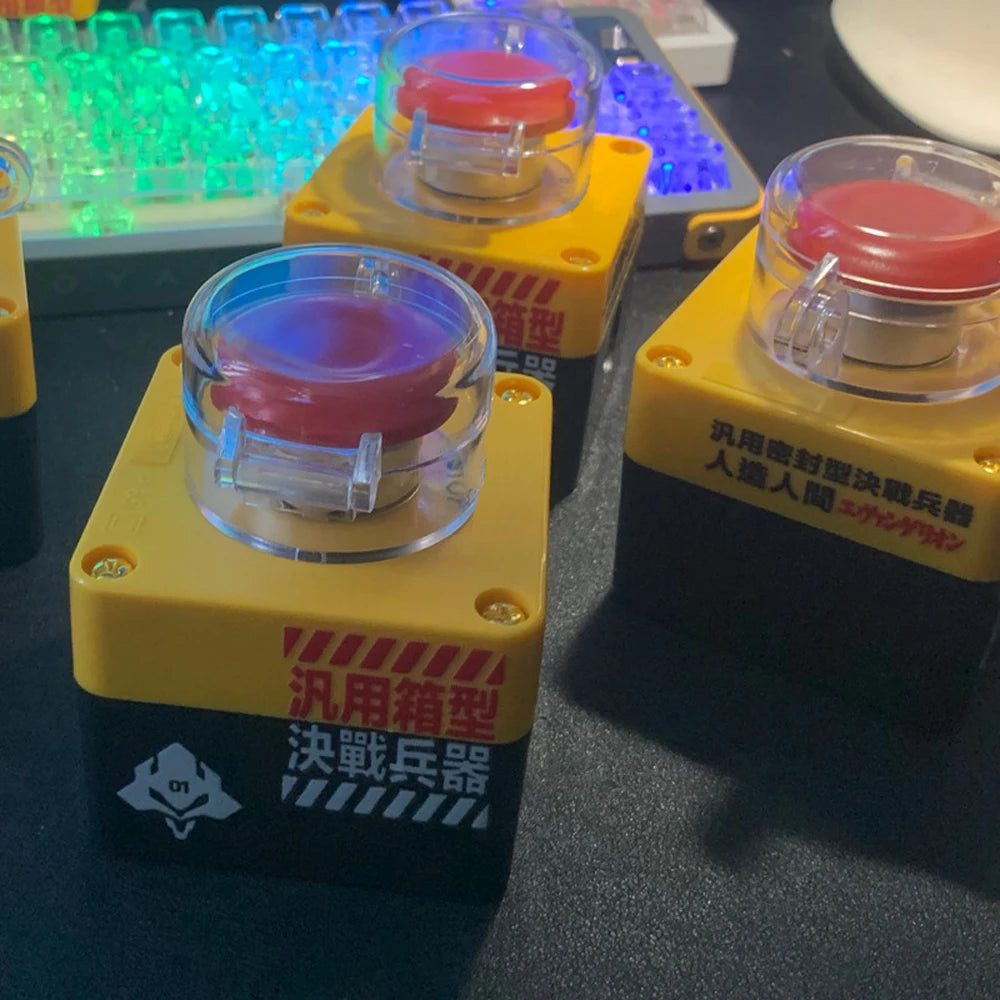
Azabooti presents a remote power on/off switch for desktops, enabling wireless boot and shutdown from across a room. Enhance gaming setups with hands-free control while keeping traditional motherboard wiring intact.
Power your desktop remotely with a single press of a button. This wireless Remote Power ON/OFF switch gives you hands-free control to boot and shut down your computer from across a room, making gaming setups and bench testing more comfortable and efficient. With an operational range of up to 10 meters, you can start your gaming rig, perform quick reboots, or wake up a connected PC without leaving your desk.
This device is designed for desktops only and is not intended for laptops or integrated systems. It works with a PC motherboard power header via a wired receiver, while the button on the transmitter communicates wirelessly to trigger the boot sequence. The setup is based on standard motherboard power management practices, so you can maintain familiar wiring while gaining the convenience of remote control.
What’s in the box
- 1 transmitter (button device) with battery installed, built to last for years and replaceable when power runs out.
- 1 signal receiver with connecting wires that interface with the PC motherboard power header.
- Button size is 7 × 7 × 9.6 cm and the unit weighs about 0.2 kg.
- Effective wireless distance up to 10 meters.
- Desktop-only usage and wiring guidance suitable for standard PC builds.
Key features
- Remotely power your desktop on or off from the wireless transmitter.
- Designed for desktop PCs with a motherboard power header connection.
- Battery-powered transmitter that lasts for years; replace when needed.
- Receiver connects to the motherboard power header to enable boot through USB-powered 5V supply.
- Compact form factor and simple two-part setup that integrates with existing PC wiring.
- Clear LED indicators and a straightforward reset process if re-coding is required.
How it works
Install with the power off and follow the built-in wiring guidance. The transmitter communicates to the receiver over a wireless link, sending a boot signal when you press the mushroom-style button. The receiver then triggers the motherboard power sequence via the connected power header. If the boot does not occur, consult the included diagrams for wiring checks, ensure the POWERSW jumper is correct, and verify BIOS power management settings such as USB wake options if applicable.
Compatibility and usage tips
- Only for desktop computers that have the appropriate power header and USB-based power control interface described in the setup guide.
- Not intended for laptops or integrated/all-in-one systems.
- Ensure all power is disconnected during installation and follow the provided wiring references for your motherboard model.
- After setup, you can test boot by pressing the transmitter button; the receiver should respond with a click and the PC should boot if wired correctly.
Care, maintenance, and safety
- Power down and unplug before any installation or adjustments.
- Battery replacement for the transmitter is straightforward and designed to be long-lasting.
- If you ever need to reset the receiver, follow the simple reset steps outlined in the troubleshooting diagrams.
- Keep cables organized and away from high-heat or moisture to preserve performance and safety.


Features
- Enable wireless desktop boot and shutdown
- Operate from up to 10 meters away
- Easy wired receiver connects to motherboard header
- Single transmitter button with replaceable battery
- Keep familiar BIOS power management workflow
- Ideal for testing benches and gaming rooms
- Lightweight, durable setup for desktops
Frequently Asked Questions
Can this be used with laptops or all-in-one PCs?
This device is designed for desktop motherboards and power headers. It is not intended for laptops or integrated systems. Use with standard PC builds for reliable remote control.
What is the wireless range and reliability like?
The system operates up to 10 meters with a stable, low-latency signal. A wired receiver connects to the motherboard header, ensuring dependable boot sequences.
Does it require software installation or drivers?
No software installation is required. It uses standard motherboard power management practices and a wired receiver, making setup straightforward for desktop setups.
Materials
Materials
Shipping & Returns
Shipping & Returns
Dimensions
Dimensions
Care Instructions
Care Instructions